
UI/UX Product Design That Solves Workflow Friction Before You Write Code
Changing a workflow in a clickable prototype takes an afternoon; changing it after two months of backend and front-end engineering takes weeks. Our UI/UX product design practice focuses on how people actually complete tasks—turning complex data, forms and operational decisions into calm, unambiguous interfaces.
01 / Problem & Audience
When organisations need ui/ux product design.
Software projects often jump straight from a high-level feature list into coding, resulting in cluttered screens, confusing navigation, inaccessible contrast and expensive rework once real users try the software.
Who This Service Is Designed For
- Product owners and founders validating a new software concept with stakeholders or early customers
- Engineering-led teams whose functional software is held back by confusing workflows or inconsistent UI
- Enterprises simplifying complex internal tools to reduce staff training time and data-entry errors
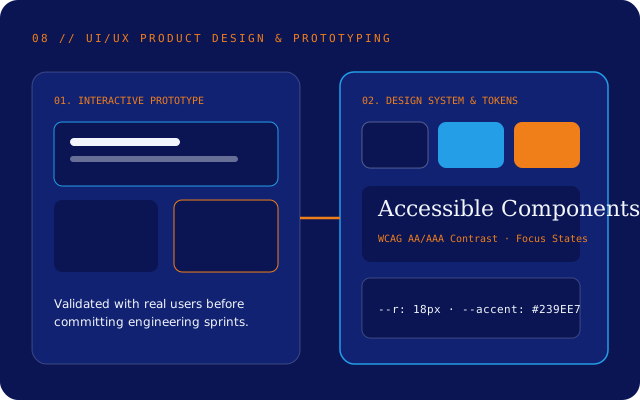
Reference Architecture Blueprint
UI/UX Design System Layers
02 / Scope & Process
How we scope and deliver ui/ux design.
- Step 01
User & Task Flow Research
We observe how users currently perform the job, identifying where errors, delays and cognitive overload happen.
- Step 02
Information Architecture & Wireframing
We map screen hierarchies, navigation paths and edge states (empty states, loading, permissions and validation errors).
- Step 03
Interactive Prototyping & Usability Testing
We assemble clickable prototypes and walk real users through realistic tasks, cutting or refining anything that causes hesitation.
- Step 04
Design System & Engineering Handover
We deliver structured design tokens, reusable component specifications and responsive rules that map directly to CSS and React components.
03 / Practical Benefits
Concrete operational outcomes.
De-Risked Engineering Spend
Validating flows with clickable prototypes catches misunderstandings before expensive engineering hours are spent.
Designed for Edge Cases, Not Just Happy Paths
Every screen accounts for long text, empty tables, partial permissions, slow connections and form errors.
Built-In Accessibility
Colour contrast, focus order, target sizes and clear labels are designed in from the start rather than bolted on later.
Zero-Friction Developer Handover
Because our designers work closely with engineers, specifications use practical layout tokens and feasible component states.
04 / Concrete Deliverables
What your team receives
- ✓User journey maps, task flows and information architecture diagrams
- ✓Interactive clickable prototypes for stakeholder and user testing
- ✓Usability testing observations and iteration summary
- ✓Design system tokens (typography, colour contrast, spacing, radii)
- ✓Component specifications covering responsive breakpoints and interaction states
05 / Transparent Boundaries & Limitations
Honest scope conditions
Clear software engineering requires stating upfront what depends on external systems, client inputs or separate commercial tools:
- Effective usability validation requires access to representative end-users or domain staff who actually perform the workflow.
- UI/UX Product Design focuses on digital product workflows and interface systems rather than print collateral or advertising campaigns.
06 / Common Questions
UI/UX Design FAQs
Can we hire you just for UI/UX design and prototyping before committing to build?
Yes. Running a dedicated discovery and prototyping engagement is often the smartest way to clarify scope, test assumptions with users and get accurate engineering estimates before committing to full development.
Do you design for complex data tables and enterprise workflows?
Yes—in fact, dense operational tools are where good UX matters most. We focus on keyboard efficiency, clear visual hierarchy, bulk actions, filtering and error prevention for people who use the software all day.
How do you ensure designs are realistic to build?
Our designers and engineers review wireframes together throughout the process, ensuring every component maps cleanly to web or mobile layout primitives and existing API data structures.
07 / Connected Capabilities & Reading
Related services & practical guide
Web Application Engineering
Develop responsive, accessible and maintainable browser-based products and portals.
Custom Software Development
Define business requirements clearly and build tailored software around your operational reality.
SaaS Product Engineering
Plan multi-tenant subscription architecture, onboarding, billing and iterative feature delivery.
Related Engineering Article · 7 min read
When Should a Business Choose Custom Software Over Off-the-Shelf Tools?
Defaulting to off-the-shelf software is usually right for standard business functions—until workarounds, per-seat fees and fragmented spreadsheets start costing more than building purpose-fit software.
08 / Start a Conversation
Enquire about UI/UX Product Design.
Share a few details about your current system or planned project. Our engineering team will review your requirements and reply within two Australian business days.